
On this page
- Step 1 - Launch Outlook
- Step 2 - select accounts
- Step 3 - Enter your email address
This guide takes you step-by-step through
the prices of setting up a new email
account in Outlook
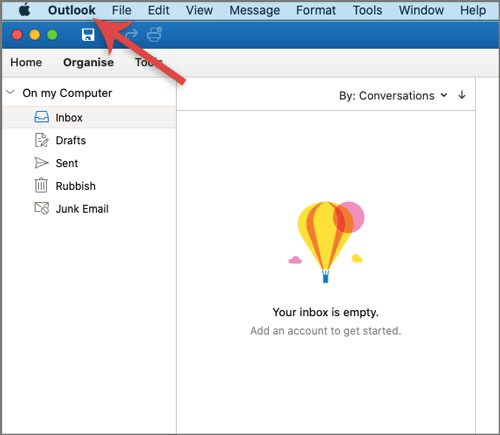
Step 1 - Launch Outlook
Open outlook and click on the outlook
tab in the top left corner and select preferences.
Step 2 - select accounts
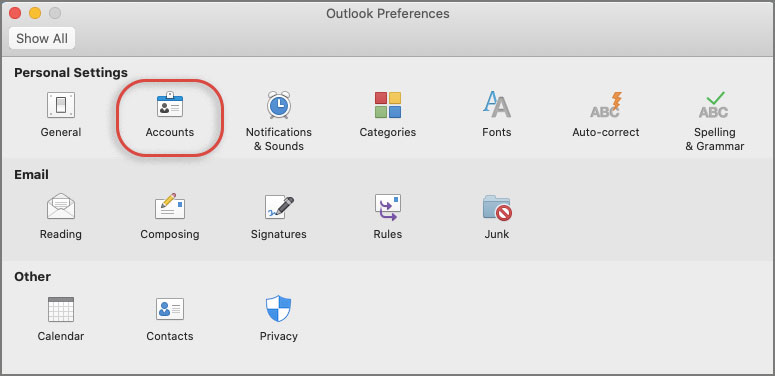
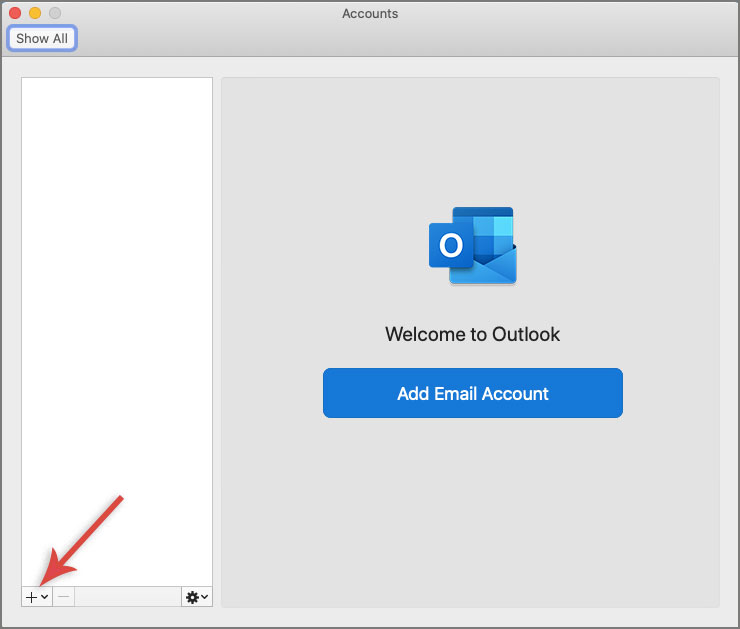
- A new window will open which will list any other accounts already set up
- If there are no accounts listed, click the Add Email Account button.
- If there are already accounts, click the ‘+‘ button at bottom left and then Add New Account
Step 3 - Enter your email address
After entering your email address click continue
Type in your password that was provided by your service provider.