
On this page
- Step 2 - Click Add account
- Step 3 - Type in your email address
- Step 4 - Enter your password
- Step 5 - Done
This guide takes you step-by-step through the process of setting up a new email account in Outlook
Step 1 - Open Outlook and click File
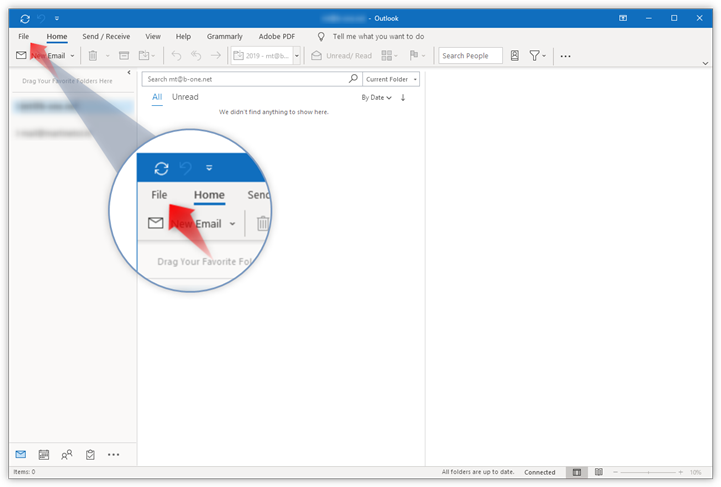
Open Outlook on your computer and click File in the top left corner.
Step 2 - Click Add account
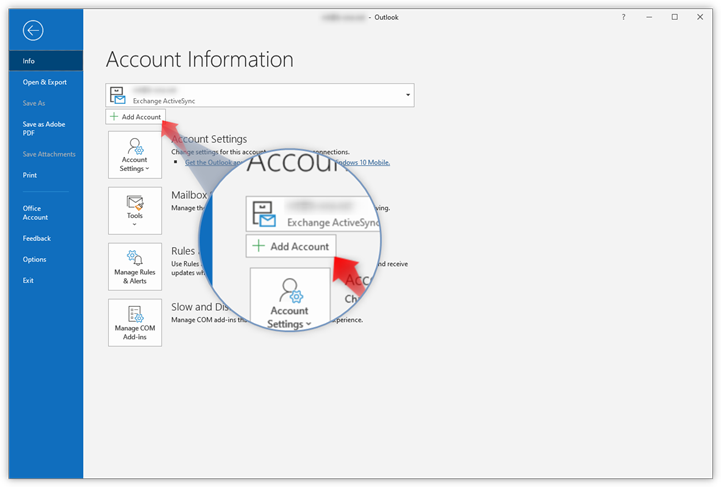
Click Add Account to start setup.
Step 3 - Type in your email address
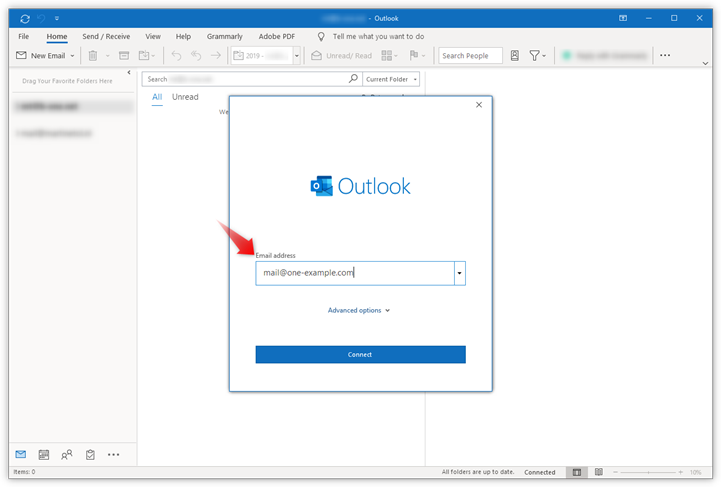
Type in the email address you want to add and click Connect.
Step 4 - Enter your password
- Type in your password, it is the password that you also use to log in to Webmail.
- Click Connect to continue.
Step 5 - Done
Click Done to complete setup